Progressive workflow
I revealed actions as prerequisites were completed, reducing decision fatigue and preventing accidental moves through the validation lifecycle.
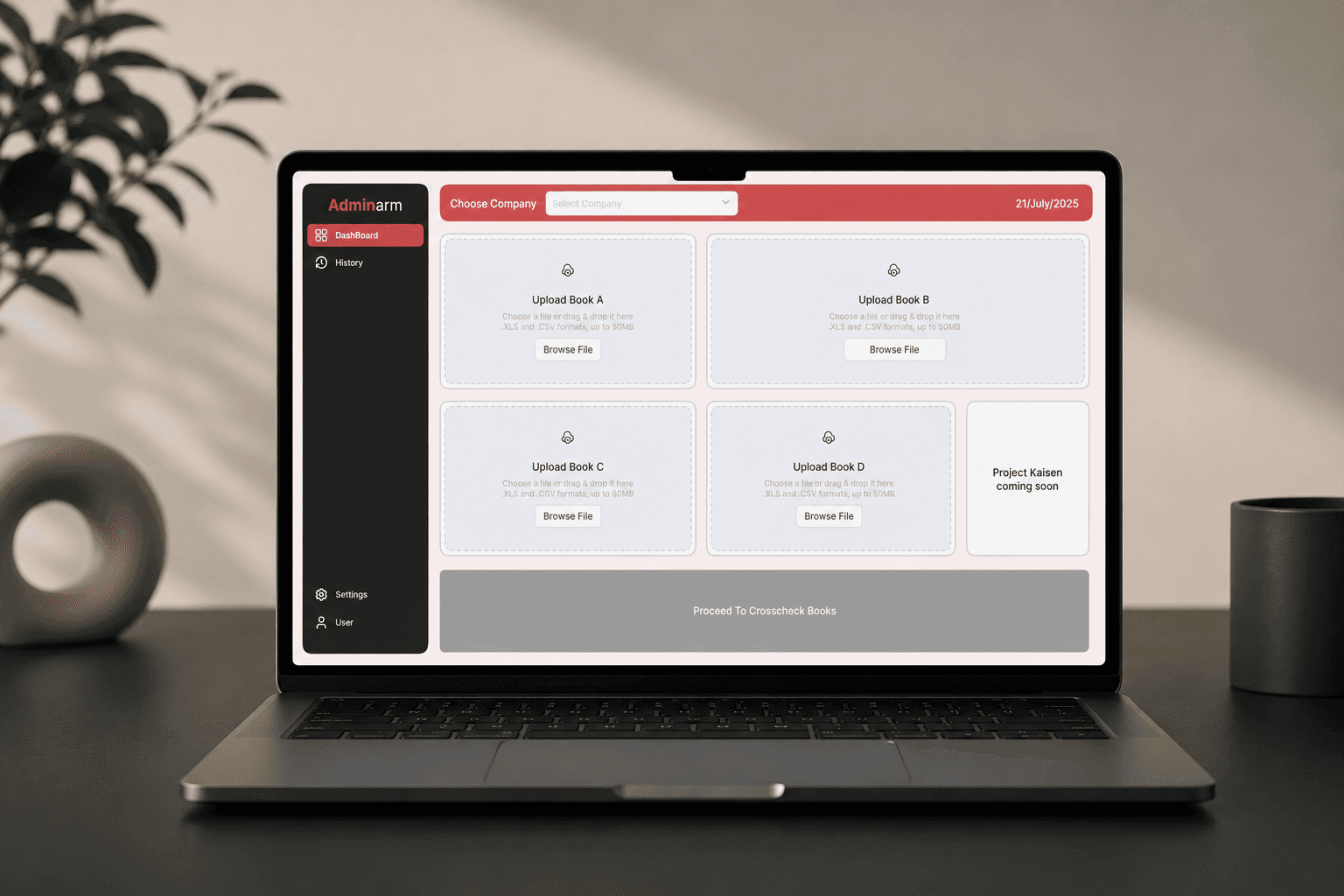
Validation dashboard / processing state
Enterprise product / 01
Teams were manually comparing multiple Excel workbooks containing thousands of records, while revisions lived in a separate trail and long-running checks offered little shared visibility.
01 / The problem
While revisions lived in a separate trail and long-running checks offered little shared visibility.
02 / Research & key insight
Mapping the work as a six-stage sequence revealed the need for continuity across processing, failure, revision, and recovery.
Supporting evidence: workflow mapping connected secure access, multi-workbook upload, automatic validation, cross-comparison, summarized results, and detailed discrepancy review.
03 / Decisions & trade-offs
Using prerequisites to unlock each action rather than exposing the whole workflow at once. Processing status, discrepancy review, revisions, and recovery remained visible as work moved forward.
My callClarity over immediate control density.
I revealed actions as prerequisites were completed, reducing decision fatigue and preventing accidental moves through the validation lifecycle.
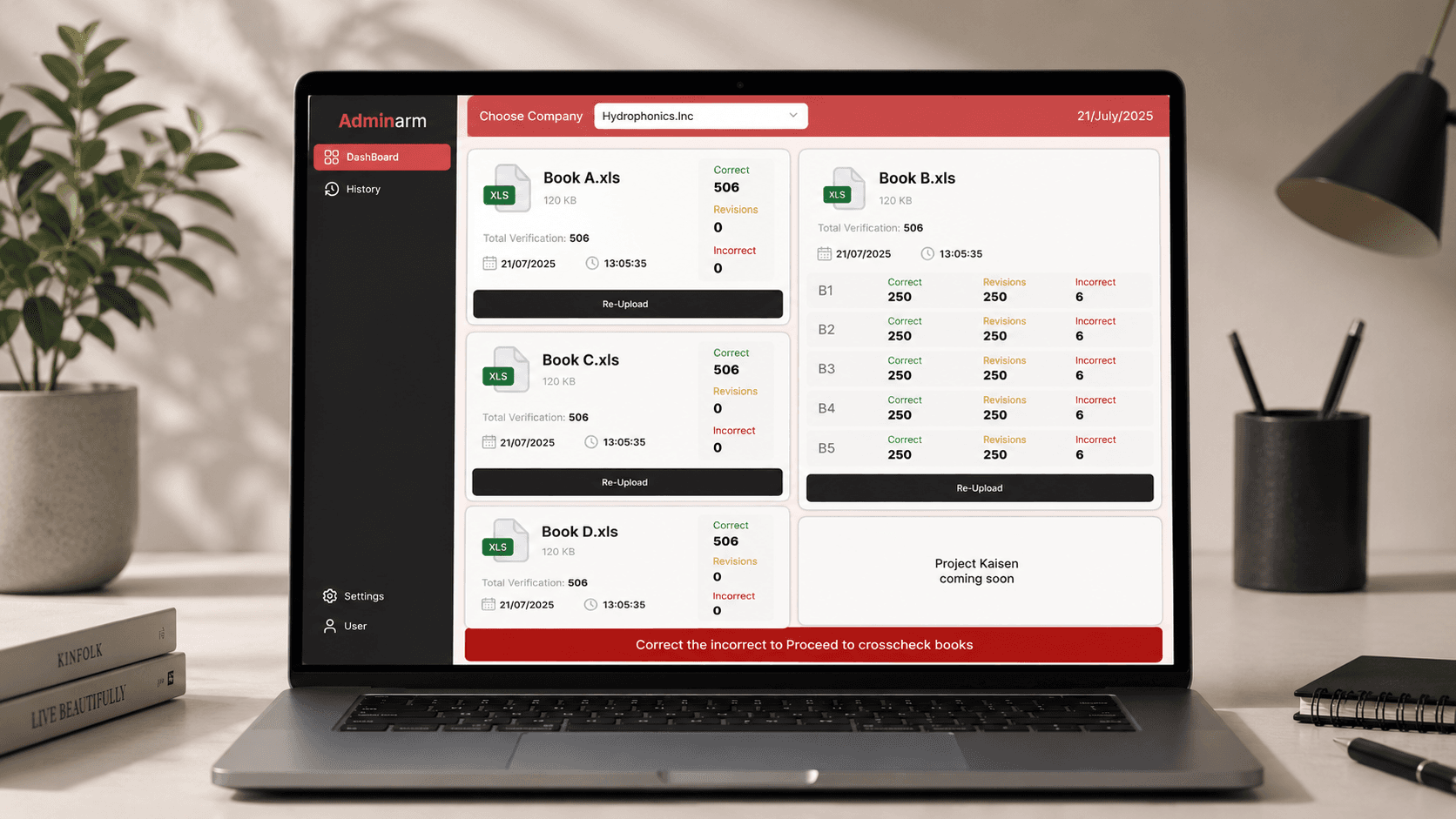
I kept verification count, date, processing time, correct records, revisions, and incorrect entries visible without separate reports.
I used color-coded states, fixed hierarchy, consistent spacing, and action-focused controls to support large-dataset review.
04 / Solution / workflow
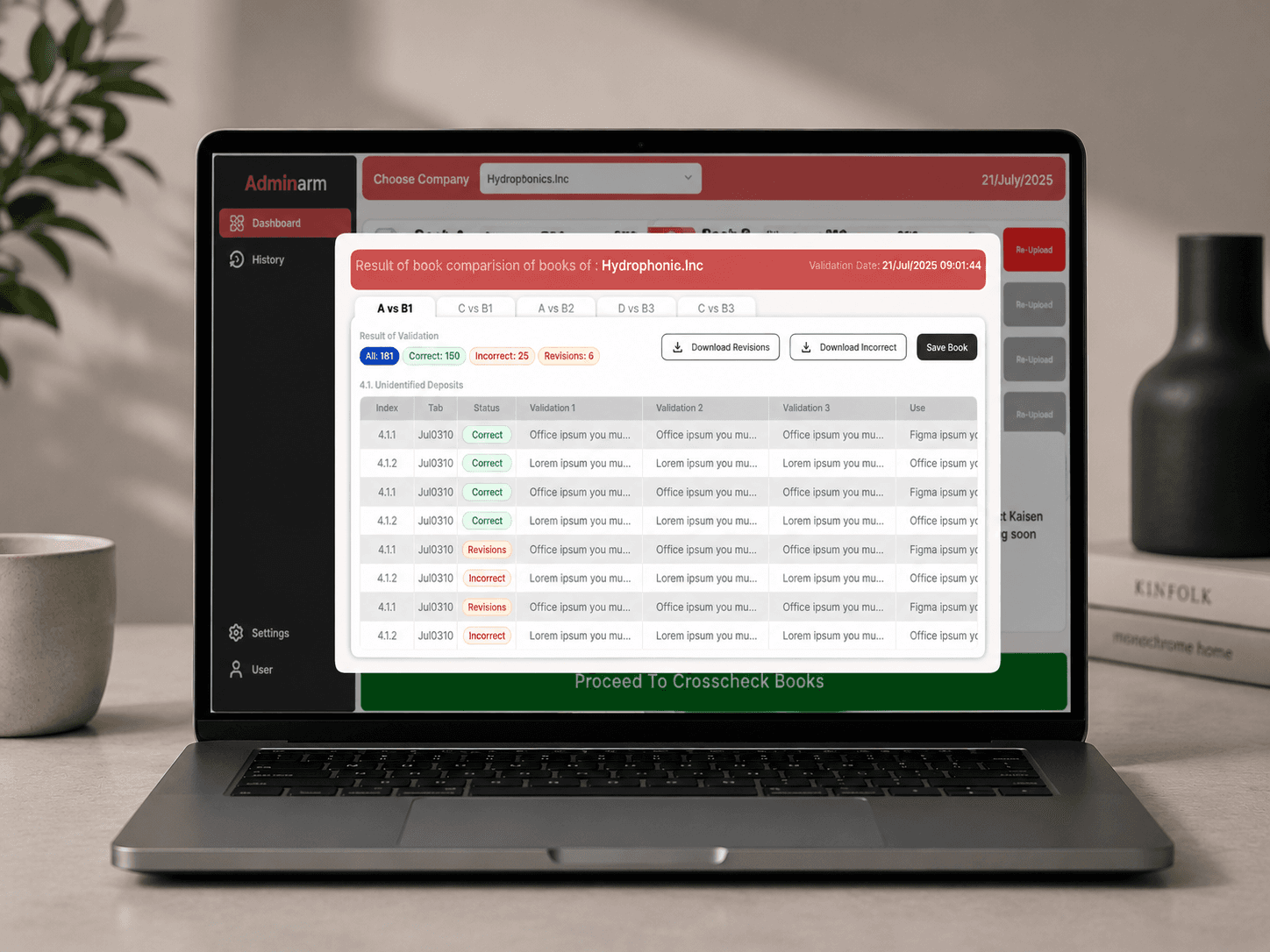
I turned that decision into Upload → Validate → Cross-check → Resolve. Centralized validation status, scan-friendly tables, revision history, discrepancy review, recovery paths, reporting, export, and cloud upload all follow the same staged logic.
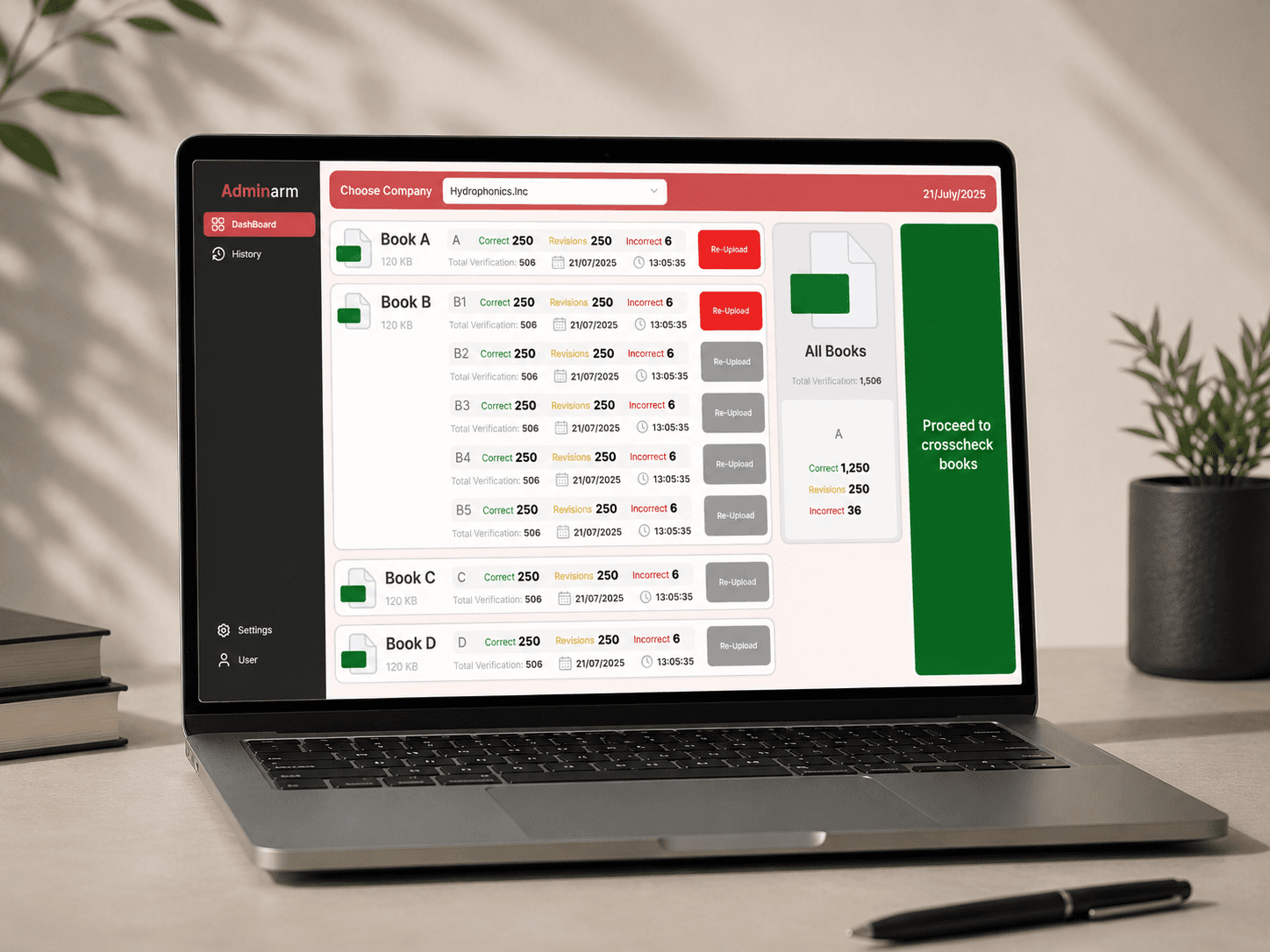
Staged workflow / upload to cross-check
Interface system
Selected product work showing how the solution is carried through the interface and component system.
05 / Outcome & evidence
24%reduction in validation time
50min → 38min.
Keeping prerequisites, processing status, discrepancies, revisions, and recovery visible from upload through export. Documented project outcome: one centralized workflow for uploading, validating, comparing, reviewing, and exporting enterprise datasets.
06 / Reflection & learning
Without its processing state and revision context. I now treat prerequisites and recovery paths as part of the main workflow, not secondary guidance.
Back to all workLet’s make sense of it
I’m open to product design roles, consulting and selected collaborations.